Atela: A Modern Sans-Serif Typeface for Bold Design
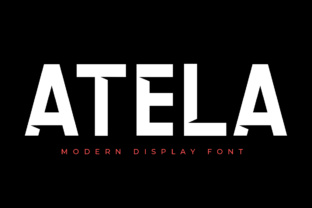
Atela is a modern sans-serif typeface that blends the clean lines of minimalism with the dynamic energy of technology. Designed for versatility, it works well as body text or as a striking display font. Whether you're creating a website, branding material, or digital content, Atela offers a fresh and masculine aesthetic that can elevate your design work.
Why Atela Stands Out
Atela’s design draws inspiration from geometry and technology, giving it a sleek and contemporary feel. Its balanced structure makes it easy to read in long paragraphs, while its bold strokes add visual impact when used as a headline. This combination makes it ideal for projects that require both clarity and style.
Designers and marketers often choose Atela for its ability to convey professionalism and innovation. It’s particularly popular in industries like tech, finance, and creative services where a strong visual identity is key.
Common Mistakes When Using Atela
While Atela is versatile, some users make mistakes that can undermine its effectiveness. One common error is using it in environments where readability is compromised. For example, small font sizes or low contrast between text and background can make Atela hard to read, especially in body text.
Another mistake is overusing Atela in multiple elements of a design. Since it has a strong visual presence, using it too frequently can create a cluttered look. Instead, use it strategically—perhaps as a headline or subheading—and pair it with a more neutral typeface for body text.
Overlooking Licensing and Usage Rights
Before downloading or purchasing Atela, it’s important to check the licensing terms. Some fonts are free for personal use only, while others require a commercial license. Failing to understand these terms can lead to legal issues, especially if you’re using the font for business purposes.
Always review the font’s license agreement. If you’re unsure, contact the foundry or designer for clarification. This step can save you time and potential headaches down the line.
How to Choose the Right Version of Atela
Atela may come in different weights and styles, such as regular, bold, italic, or condensed. Each variation serves a different purpose. For instance, the bold version is great for headlines, while the regular weight works well for longer text.
Before making a decision, test the font in different contexts. Try it on a website, in a print layout, or in a presentation to see how it performs. This helps ensure it meets your specific needs and looks good in all intended applications.
Practical Tips for Using Atela Effectively
To get the most out of Atela, start by understanding your design goals. If you want to create a high-energy, modern look, Atela can be an excellent choice. However, if your project requires a more traditional or elegant feel, another typeface might be more appropriate.
Consider the audience when choosing Atela. It works well for younger, tech-savvy audiences but may not fit the tone of a more conservative or formal brand. Always align your typography with your message and target demographic.
Pairing Atela with Other Fonts
When pairing Atela with other fonts, aim for balance. A simple serif font like Georgia or Times New Roman can provide contrast and enhance readability. Alternatively, a clean sans-serif like Open Sans or Helvetica can complement Atela without overwhelming it.
Use font pairing tools or online resources to experiment with combinations. These tools can help you find harmonious pairings that improve the overall visual appeal of your design.
What to Check Before Using Atela
Before integrating Atela into your project, verify that it’s available in the required formats. Most fonts come in OTF or TTF files, but some may also offer web font versions for digital use. Ensure the format you need is accessible and compatible with your design software or platform.
Also, consider the file size. Large font files can slow down websites or increase the size of design files. If performance is a concern, look for optimized versions of the font or use only the necessary weights and styles.
Conclusion: Make Informed Choices with Atela
Atela is a powerful tool for designers looking to add a modern, high-energy touch to their work. By understanding its strengths and limitations, you can use it effectively without falling into common pitfalls. Take the time to evaluate your needs, check licensing details, and test the font in real-world scenarios.
With careful planning and thoughtful application, Atela can become a valuable asset in your design toolkit. Whether you’re a beginner or an experienced designer, making informed choices about typography can significantly impact the quality and success of your projects.